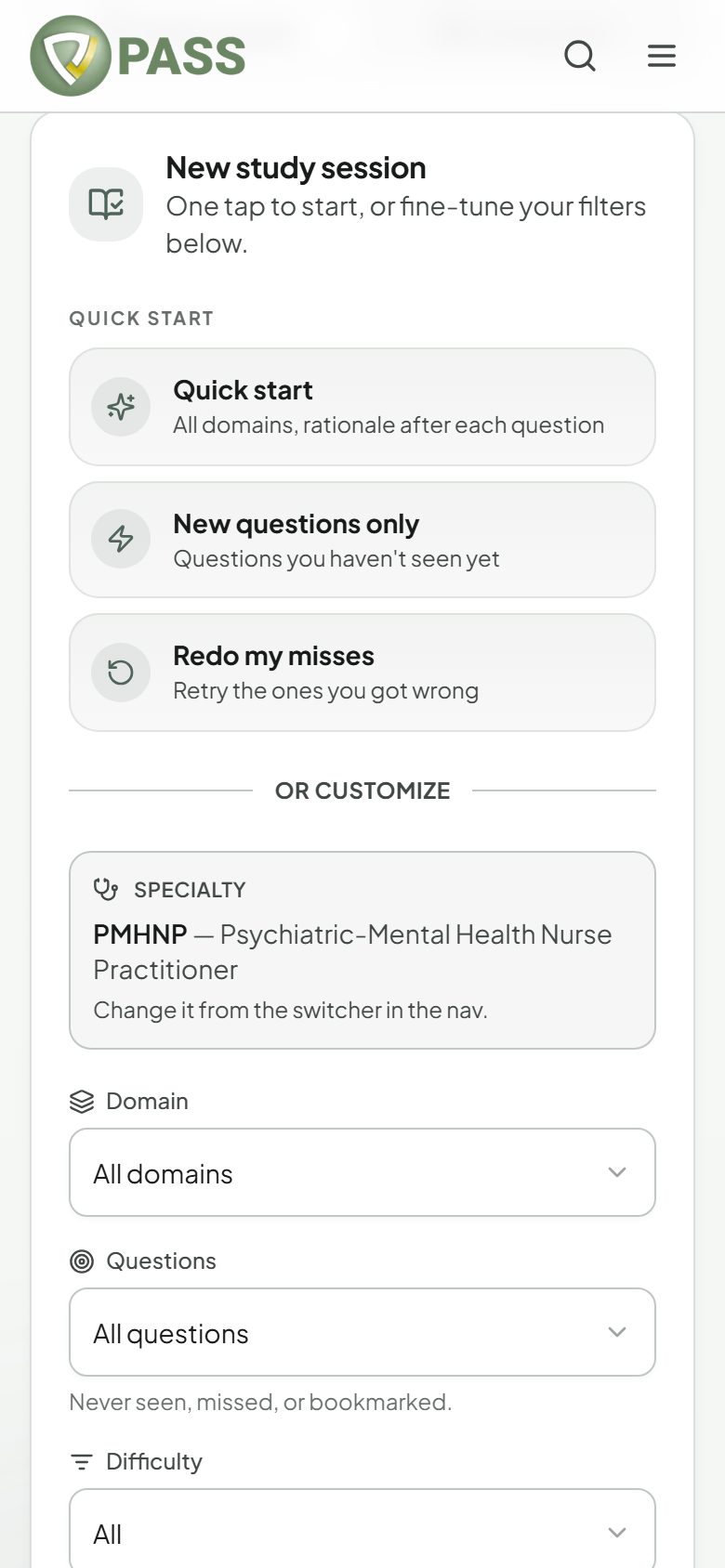
Build a practice session, choose tutor or test mode, and set your pace.
Study Mode is where most of your practice happens. Open Qbank from the menu to get to it.
Start fast
"Quick start" — every domain, with the rationale after each question.
"New questions only" — questions you have not seen yet.
"Redo my misses" — questions you got wrong before.
Or customize
1Choose a Domain, or leave it on "All domains".
2Optionally narrow by Body system, Patient age, Difficulty, or which Questions to include (All, Unused, Incorrect, Bookmarked). Some of these only appear when your exam’s questions are tagged for them.
3Pick your Feedback: "Tutor mode" shows the rationale after each question; "Test mode" holds every rationale until you review the session at the end.
4Pick a Pacing timer if you want one (60 seconds, 90 seconds, or 2 minutes per question). It never submits for you.
5Tap "Start session".
A session keeps going until you stop or run out of questions that match your filters. You can change filters mid-session with the "Filters" button. Leave whenever you like: every answer is saved, and past sessions are listed under "Previous attempts" in Qbank, with a "Review" button.
Exam-week strategy: use Test mode with the 90-second timer. It is the closest Study Mode gets to the real thing.