
Help Center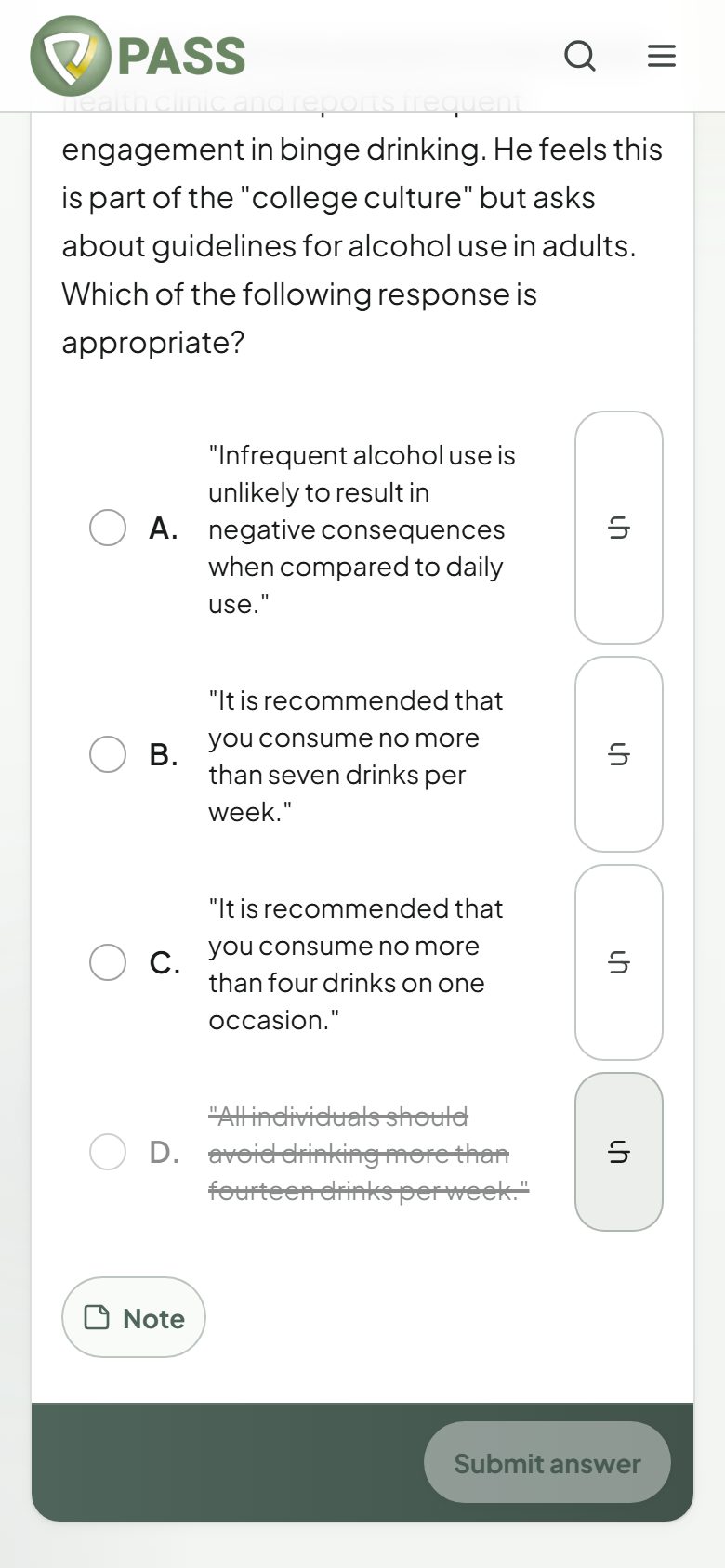
The last choice has been crossed out with the strikethrough button.
Study Mode & Q-Bank
Highlighting, crossing out, notes, and other question tools
The same tools you get on test day: highlight, strikethrough, calculator, and more.
Every question has the tools you will see on exam day. They work in Study Mode and Exam Mode.
- Highlight — select words in the question to highlight them. Tap a highlight to remove it. Highlights are saved.
- Cross out — use the strikethrough button next to an answer choice (or right-click the choice) to rule it out. Use it again to restore it.
- Note — write a note in your own words. Saving a note also bookmarks the question.
- Bookmark — save the question to your Bookmarks page.
- Calculator — shown for exams whose real test provides one.
- Lab values — a searchable reference-range sheet, in Exam Mode and the Readiness Exam.
- Display — text size, high contrast, hiding the countdown, and single-key answer shortcuts.
Keyboard shortcuts
- Press 1–9 (or A–I) to pick an answer, and the arrow keys to move between choices.
- Alt+N next question, Alt+H highlight the selected text, Alt+C calculator.
- In Exam Mode: Alt+P previous, Alt+F flag, Alt+R review, Alt+L lab values, Alt+E end the exam.
More in Study Mode & Q-Bank
Didn’t find what you needed?
Check the FAQ for common questions, or browse the rest of the Help Center.