What each part of the explanation tells you, and how to save it for later.
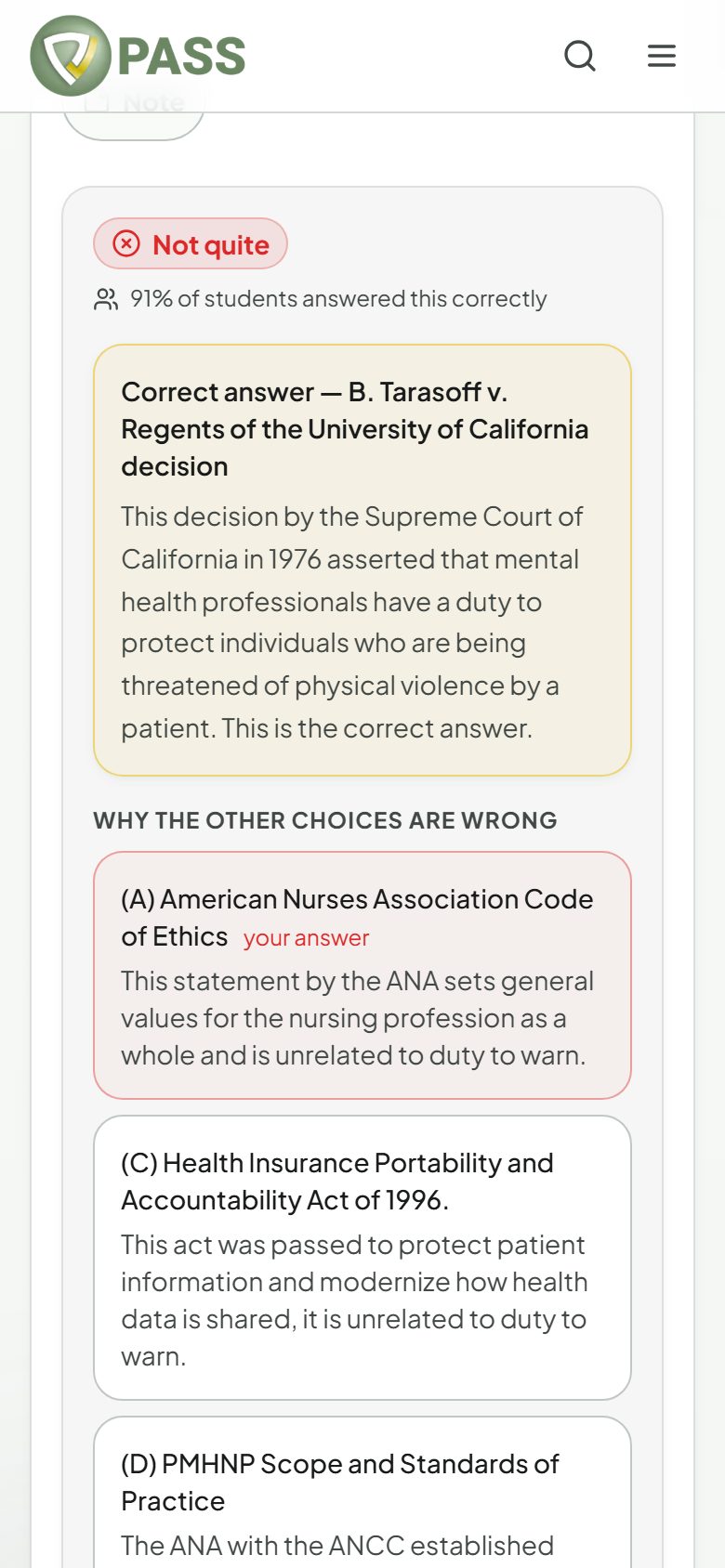
After you submit, you see "Correct" or "Not quite", then the rationale. Read it every time, even on questions you got right. Getting it right for the wrong reason is how points slip away on exam day.
Correct answer — always shown first, with why it is right.
Why the other choices are wrong — an explanation for each wrong option (All-Access Pass).
Educational objective — the one takeaway the question is testing (All-Access Pass).
References — the sources behind the answer.
Peer stats — "X% of students answered this correctly", once enough people have answered.
Save it and dig deeper
"Add to flashcards" turns the question into a card in your "My Cards" deck.
"Explain more" gives a short, deeper explanation, and "Ask AI" lets you ask follow-up questions (All-Access Pass).
On the free plan you see the correct-answer rationale. The rest of the explanation unlocks with the All-Access Pass.